
Start with the same storage unit, units of measure, and cutoff. Expected on-hand is the calibrated baseline plus inbound finalized movements minus outbound finalized movements. Draft tickets do not belong in that total.
The calculation behind BulkTally Yard.
BulkTally Yard represents ticket movements as signed weight lines. An inbound line is positive; an outbound line is negative. A storage unit's on-hand is its baseline plus the sum of the finalized lines assigned to it. The baseline is an offset used by the running calculation, not another load.
That last distinction matters during calibration. If the system retains historical finalized lines, setting a new baseline to the physical measurement would double-count those retained movements. The adjustment must account for the weight lines already included in the calculation.
A simple worked example.
Suppose the baseline is 100,000 lb, finalized inbound movements total 30,000 lb, and finalized outbound movements total 20,000 lb. Expected on-hand is 110,000 lb. A further outbound ticket for 10,000 lb is still a draft, so on-hand remains 110,000 lb. Finalizing it changes expected on-hand to 100,000 lb.
These are illustrative quantities, not customer results. They explain why mixing draft and finalized tickets in the same reconciliation creates a false discrepancy.
Work through a discrepancy in this order.
- Confirm the storage unit. A load can have more than one storage line. Compare the relevant line, not automatically the whole ticket's net quantity.
- Confirm the units. Do not combine pounds, tons, gallons, or bushels without a defined conversion. A volume-to-mass conversion also requires the appropriate material information.
- Check the cutoff. A ticket's business date and the time it was created are different facts. Use a consistent date basis and timezone for the report you are reconciling.
- Separate drafts. A planned load can appear in a work queue without belonging in finalized inventory movement.
- Review direction and sign. An outbound quantity must reduce inventory. Check records with unexpected signs before adjusting a balance.
- Check corrections and duplicates. Look at ticket history before assuming the current list represents every action that occurred.
- Review calibration history. A physical measurement may justify an adjustment, but record its reason and preserve the explanation.
Physical inventory and ticket inventory answer different questions.
Ticket inventory tells you what the recorded movements imply. Physical measurement tells you what is observed in storage. Differences can arise from missing or incorrect tickets, measurements, timing, or material handling. The discrepancy needs investigation; a software total alone is not evidence of the physical quantity.
In BulkTally Yard, calibrations record the old and new values and require a reason. That gives an administrator a way to explain the adjustment later. A calibration should not become a substitute for finding a repeated ticketing problem.
Build the review into the daily workflow.
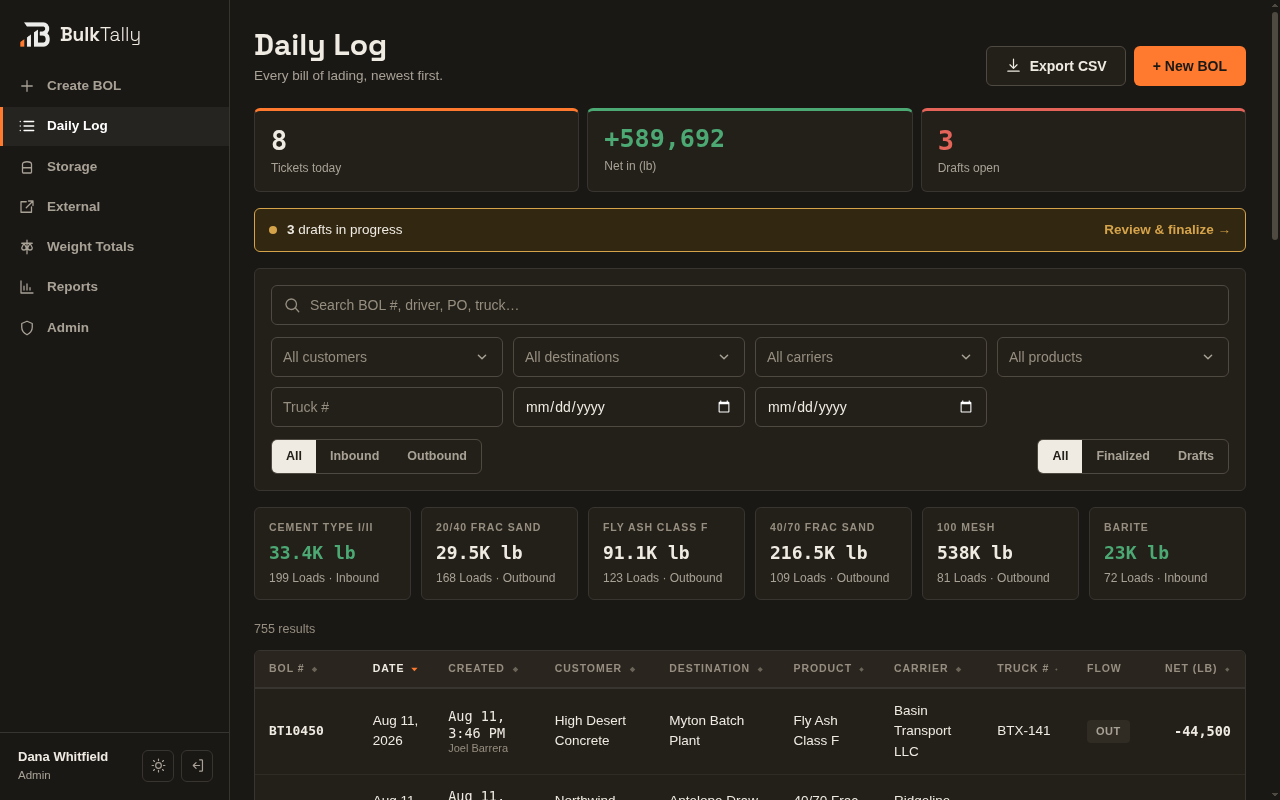
Agree who reviews open drafts, who investigates discrepancies, and who may calibrate storage. Use the daily log to locate the relevant ticket, then inspect its storage lines and history. Reports and customer views should use the same finalized records, so staff do not maintain separate competing totals.
Before rollout, test an inbound load, an outbound load, a draft, a finalization, and a permitted correction. Also confirm that a customer can see their own records without accessing another company's activity.
What to prepare for implementation.
List your storage units, products, units of measure, starting balances, ticket fields, and required reports. Identify how physical measurements are taken and when the operating day closes. Those details let the implementation team agree the configuration and identify work such as migration, custom reports, or instrument integrations.
Explore BulkTally Yard's inventory and bill of lading workflow and the implementation study for concrete product behavior.