
BulkTally Yard connects storage inventory to the load tickets that explain it. Your scale house records the load, finalizes the bill of lading, and uses those finalized weight lines to update on-hand inventory. The office and customer portal work from the same records.
Built for the yard that owns the inventory problem.
This product fits bulk material operations that track material in silos, tanks, bins, or stockpiles and issue inbound or outbound tickets. Demo configurations cover frac sand, cement, fuel, aggregate, and grain. Container names, units, products, ticket prefixes, and company branding can be configured for your operation.
A dispatcher needs to know where a truck is going. A yard operator also needs to know which storage unit supplied the material and what remains in it. BulkTally Yard focuses on that inventory and ticket workflow. If you need a broader transportation management system, see our custom TMS implementation service.
From a draft ticket to updated on-hand.
- Create the bill of lading. Record the customer, carrier, truck, destination, product, and loading details.
- Add the weight lines. Assign net movements to storage units. Inbound quantities add inventory; outbound quantities subtract it.
- Review the draft. Drafts let the operator prepare a ticket without moving inventory prematurely.
- Finalize the load. Finalization commits the weight lines to the inventory calculation and locks the ticket against routine editing.
- Print and report. Produce the bill of lading PDF and review finalized activity through the daily log and reports.
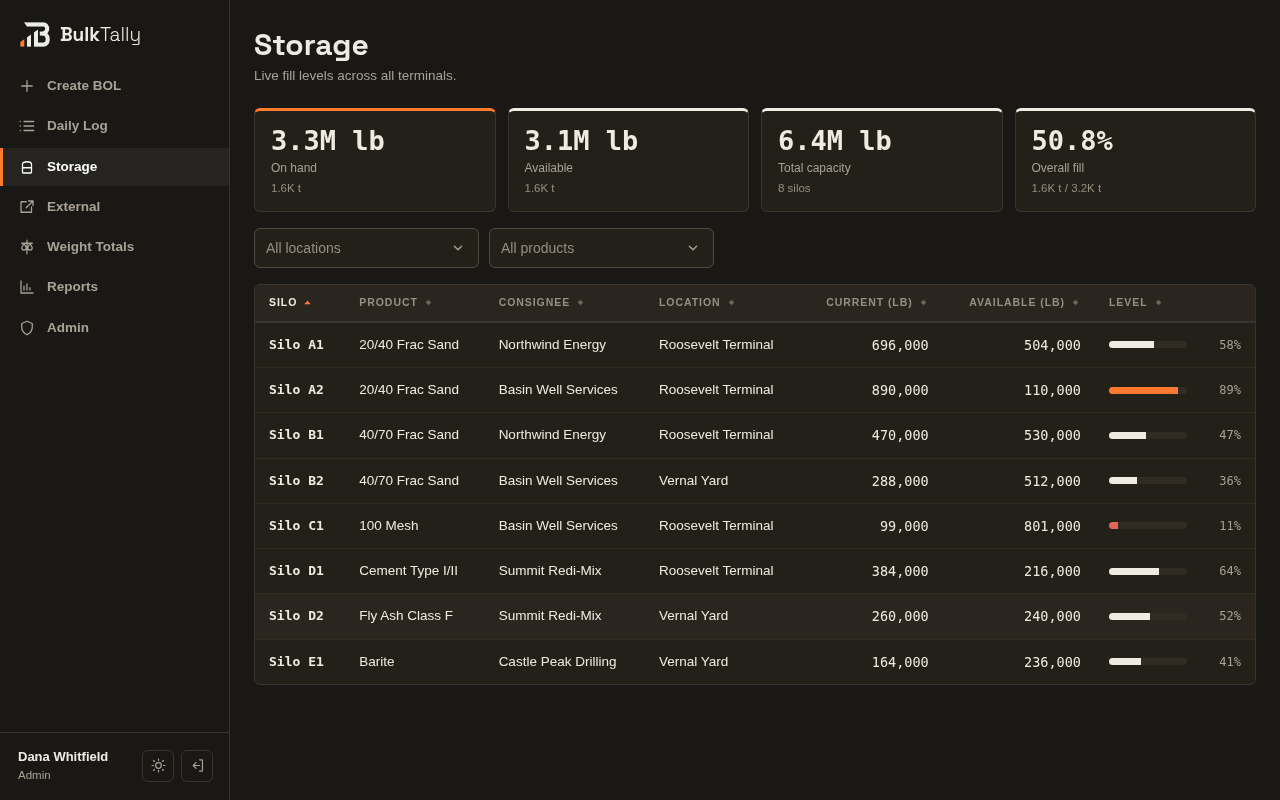
Inventory you can reconcile back to tickets.
The calculation is explicit: on-hand equals the calibrated baseline plus signed finalized weight lines. A draft does not belong in that total. A physical measurement may still reveal a difference, so calibration records the adjustment and its reason instead of silently hiding it inside a load ticket.
This is a ticket-based inventory system. It does not replace physical measurements or automatically connect to every scale or tank sensor. Any instrument integration needs its own requirements and scope. Our reconciliation guide walks through the calculation and the checks to make when numbers differ.
One record, different views for each role.
- Scale house: create and finalize bills of lading with storage-level weight lines.
- Office: search the daily log, open tickets, print PDFs, and review shipping and inventory reports.
- Customers: sign in to see records scoped to their own company.
- Administrators: manage access, review activity, and perform permitted inventory adjustments.
Permissions are enforced by the application server. A customer portal login is not simply a filtered view of every customer's data.
What implementation includes depends on your scope.
We start by mapping the materials, locations, units, roles, documents, and reporting your team uses. We distinguish configuration from additional development before quoting the work. Data migration, custom reports, outside-system integrations, and nonstandard workflows need explicit agreement.
BulkTally Yard is deployed as a private instance on your own DigitalOcean account. Your proposal defines hosting responsibilities, rollout, training, maintenance, and ongoing support. Implementation and recurring service are quoted for the agreed operation; there is no blanket setup fee or monthly rate covering every deployment.
See the workflow before discussing a rollout.
Explore the fictional sand yard demo or read the yard implementation study. For a useful first conversation, bring an example ticket, a description of your storage units, and the reports your office or customers need. Share sanitized examples through an agreed channel rather than putting customer records into the public inquiry form.